











GV-VMS V20
GV-VMS V20 is a full-featured, AI-powered software series for professional video surveillance. It combines AI analytics, flexible monitoring, and seamless integration. Key features include:
plus integration with AI-powered IP cameras.
event retrieval.
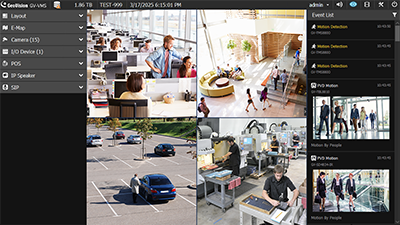
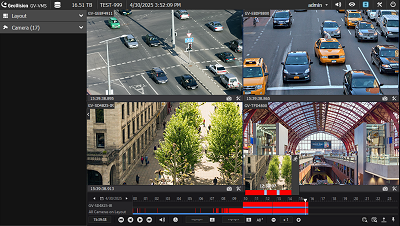
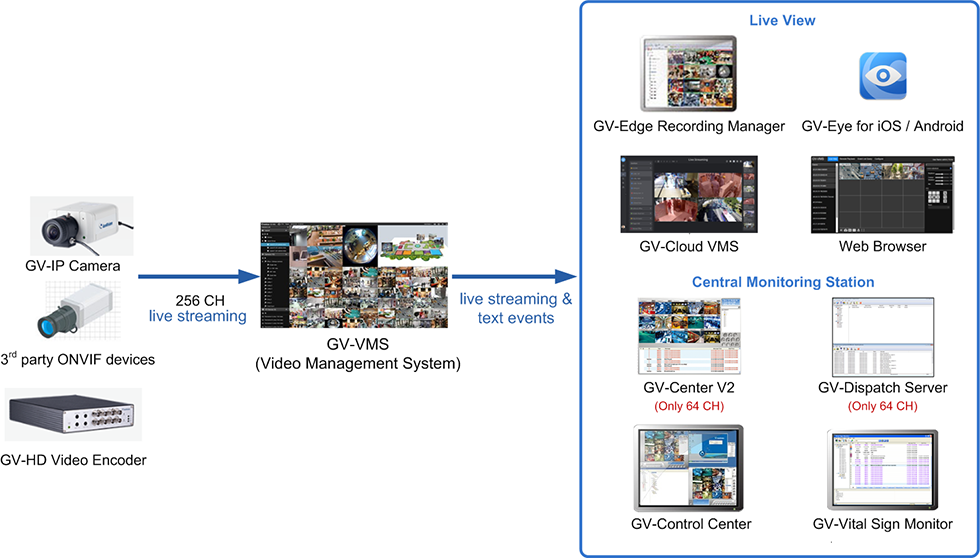
GV-VMS V20 is a comprehensive video management system that records from GeoVision and 3rd-party IP devices. Its intuitive drag-and-drop interface allows easy customization of live view and playback layouts. With built-in video analytics, it enhances monitoring and reduces manual effort. Users can remotely access live view and recordings using GV-Cloud VMS, GV-Edge Recording Manager, the GV-Eye mobile app, or Web browsers. Compatible with GeoVision central monitoring systems and 3rd-party ONVIF cameras, it offers a versatile surveillance solution.
GV-VMS V20 supports a connection of up to 256 IP channels, with up to 64 GV-IP device channels available for free. Licenses are required for additional channels. Separate licenses are required for 3rd-party IP devices and UA-HD DVRs. The AI License is required for full AI functionality.
- Unified Interface
- Integrated AI Capabilities
plus integration with AI-powered IP cameras.
- Advanced Search Tools
event retrieval.
- Remote Configuration
GV-VMS V20 is a comprehensive video management system that records from GeoVision and 3rd-party IP devices. Its intuitive drag-and-drop interface allows easy customization of live view and playback layouts. With built-in video analytics, it enhances monitoring and reduces manual effort. Users can remotely access live view and recordings using GV-Cloud VMS, GV-Edge Recording Manager, the GV-Eye mobile app, or Web browsers. Compatible with GeoVision central monitoring systems and 3rd-party ONVIF cameras, it offers a versatile surveillance solution.
GV-VMS V20 supports a connection of up to 256 IP channels, with up to 64 GV-IP device channels available for free. Licenses are required for additional channels. Separate licenses are required for 3rd-party IP devices and UA-HD DVRs. The AI License is required for full AI functionality.
- Live View and Playback on one UI
- Event List for real-time monitoring of general, system, AI, and PVD events
- Built-in face recognition engine for face enrollment and recognition on the local GV-VMS
- AI Query to filter AI and PVD events by cameras, time range, facial recognition, event types, person attributes, and vehicle attributes
- AI event setup remotely on GV-VMS for AI-capable GV-IP cameras
- Motion detection setup remotely on GV-VMS for GV-IP cameras
- Smart PVD Motion Search to search for people and vehicle motion on recorded videos by defining regions of interest
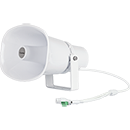
- GV-IP Speaker Support: Audio triggered by AI events, motion, or pre-defined schedule
Note :
- Specifications are subject to change without notice.
Note :
- Specifications are subject to change without notice.
| Model No | Name | Details | |
|---|---|---|---|
| GV-AI Accelerator Module | Only applicable for GV-VMS V18.3.2 or later. GV-AI Accelerator Module is equipped with the M.2 M key connector and is compatible with 11th Gen CPUs or later versions. With GV-AI Accelerator Module, users are allowed to enable PVD motion detection of up to 64 channels. See GV-AI Accelerator Module’s datasheet for details. | ||
| GV-NET I/O Card V3.2 | GV-NET/IO card V3.2 provides 4 inputs and 4 relay outputs. It supports both DC and AC output voltages and provides a USB port as well. | ||
| GV-IO Box Series | GV-IO Box series provides 4 / 8 / 16 inputs and relay outputs, and supports both DC and AC output voltages, with optional support for Ethernet module and 4E additionally supporting PoE connection. | ||
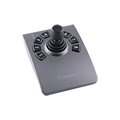
| GV-Joystick V3 |
|
GV-Joystick V3 facilitates PTZ camera control. It is compatible not only with GeoVision software, but also with any third-party software that supports the HID standard. | |
| GV-Data Capture | GV‐Data Capture allows the integration of POS systems and the GeoVision surveillance system through cable or network connection. | ||
| GV-IP Speaker | GV-IP Speaker plays audio received over the network, supporting both live speech to deter intruders and prerecorded messages for alerts and announcements. | ||
Note:
- Certain GV-Mount models must be used with other GV-Mounts for proper installation. Please refer to the datasheet before purchase.
- Certain GV-Surveillance System accessories are only compatible with specific models. Please refer to the datasheet before purchase.
Note :
- Specifications are subject to change without notice.
GV-VMS v20: New Features & Upgrades
How to Setup Face Recognition GV VMS 20
How to Enable PVD Motion Detection on GV VMS 20
How to set up Face Blur Effect and Local Face Recognition in GV VMS 20
Outdoor Intelligent Motion Detection of GV-VMS
How to Setup Smart Motion Search on GV VMS 20
Licensing the GV-VMS Online and Offline
Adding IP Cameras to GV-VMS and Accessing Live View
Creating Live View Layouts
GV-IP Decoder Box Remote Control on GV-VMS
How to Setup Email Notifications on GV-VMS
Playing Back, Exporting and Backing up Videos
How to Backup and Delete Videos and Logs on GV-VMS
Setting Up GV Fisheye Cameras
Controlling PTZ Cameras
GeoVision GV-VMS - PPTZ Auto Tracking
GeoVision GV-VMS - Creating and Utilizing the 3D E-Map
Note :
- Specifications are subject to change without notice.